WinCC Integration Sample
- Tested with WinCC V 7.5
Please first take a look to our Visual Basic Script sample, once you get it working in the PC where you plain to make the integration, please follow this document.
- Download and configure our Visual Basic Script/Application helper (it should be already done if you followed our Visual Basic Script Sample).
- Download the helper.
- Unzip it.
- Open a command line and go to C:\Windows\Microsoft.NET\Framework\[your-net-version].
- Execute RegAsm.exe [path-to-ZeusAPI.dll] /codebase.
- Obtain your authaccount and authpass once logged on ZeusWeb, going to URL: api_credentials.html.
-
Create a script with the functionality that you need and embedded it into a Sub Project function in WinCC.
- You must declare all the variables that you need. This is an important step.
- Place holder for value to be written to tag (Tagwriter ).

-
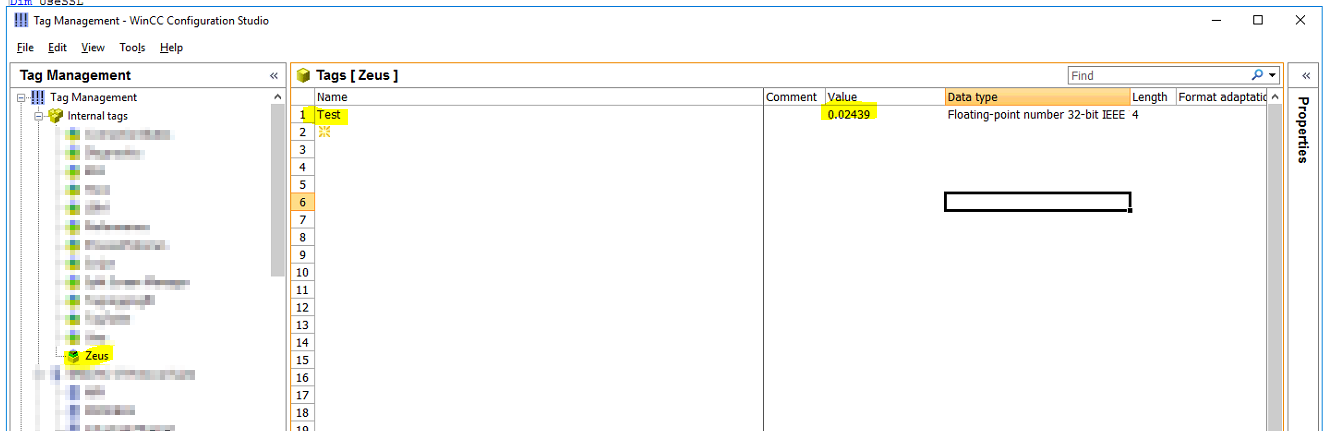
Create a Group in WinCC internal Tags for the Zeus Data and create one tag for a test.
-
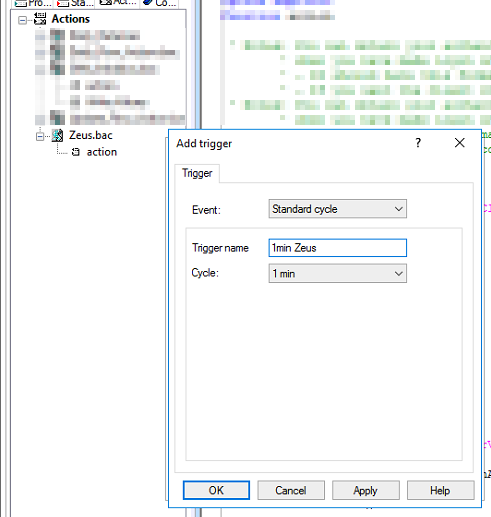
Create internal tags for each value required, add the lines to read the values from the stations and write them individually to the internal tags, add an action rather than a Sub function and set required Time Trigger.